

I am currently working on a project and had to dive into backups and retention of storage accounts and logs stored in the Azure Log Analytics workspace. After digging around a little, I found that by default, Application Insights and Log Analytics have a data retention of 90 days. You can opt to extend the retention up to 730 days. Below are the steps to do this.
-
Log into the Azure Portal
-
Find your Log Analytics workspace
-
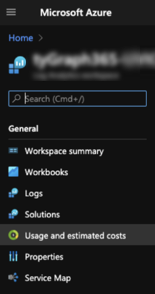
Click on Usage and Estimate costs under the General section
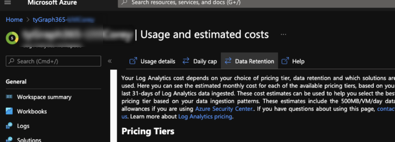
- Click Data Retention
- Adjust the slider to the desired level of retention up to 730 days.
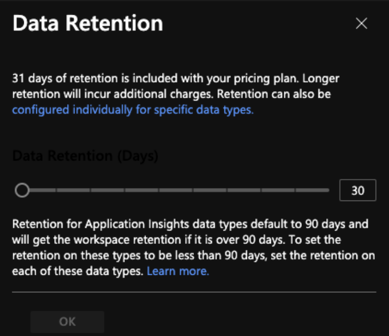
Note that increasing the data retention, will result in additional Azure costs. By default, logging from the engine includes 90 days of retention for data stored in the Log Analytics workspace of Application Insights.
The retention can also be modified for specific data tables within a Log Analytics workspace. If you need to target specific data types, please read this article.